

Most people think home security means buying a camera and calling it done.
I thought the same thing.
That changed when my neighbor in Sacramento had her home broken into on a Tuesday afternoon. The thief did not pick the lock or break a window. He walked through an unlocked side door off the garage in broad daylight and was gone in under three minutes.
No camera. No alarm. No motion light.
According to the FBI Crime Data Explorer, there were nearly 847,000 burglaries reported in the United States in 2022. The National Crime Prevention Council says about 60 percent of those could have been prevented with simple, low-cost steps.
This guide covers 15 of those steps.
Why Home Security Matters More in 2026
Burglars today are more calculated than most people think.
They do not randomly pick a house. Many will observe a neighborhood for two or three days and look for easy targets. A 2021 University of North Carolina study surveyed over 400 convicted burglars and found that visible cameras and alarm signage alone was enough to make most of them move on.
The good news is that you do not need to spend a lot to protect your home. Most steps here are affordable. Some cost nothing at all.
1. Install Smart Security Cameras
Cameras are the most visible deterrent you can add to your home.
Modern cameras like the Arlo Pro 5S, Ring Stick Up Cam, and Wyze Cam v4 offer night vision, motion alerts on your phone, and cloud storage for recordings.
Budget options from Wyze and Blink start as low as $30 per camera.
The key is visibility. A camera mounted near your front door at eye level signals to anyone approaching that this property is being watched.
Best spots to place cameras:
Front door, back door, driveway, garage, and side gates.
One tip: do not hide your cameras. A visible camera does more deterrence work than a hidden one.
2. Upgrade to a Smart Door Lock
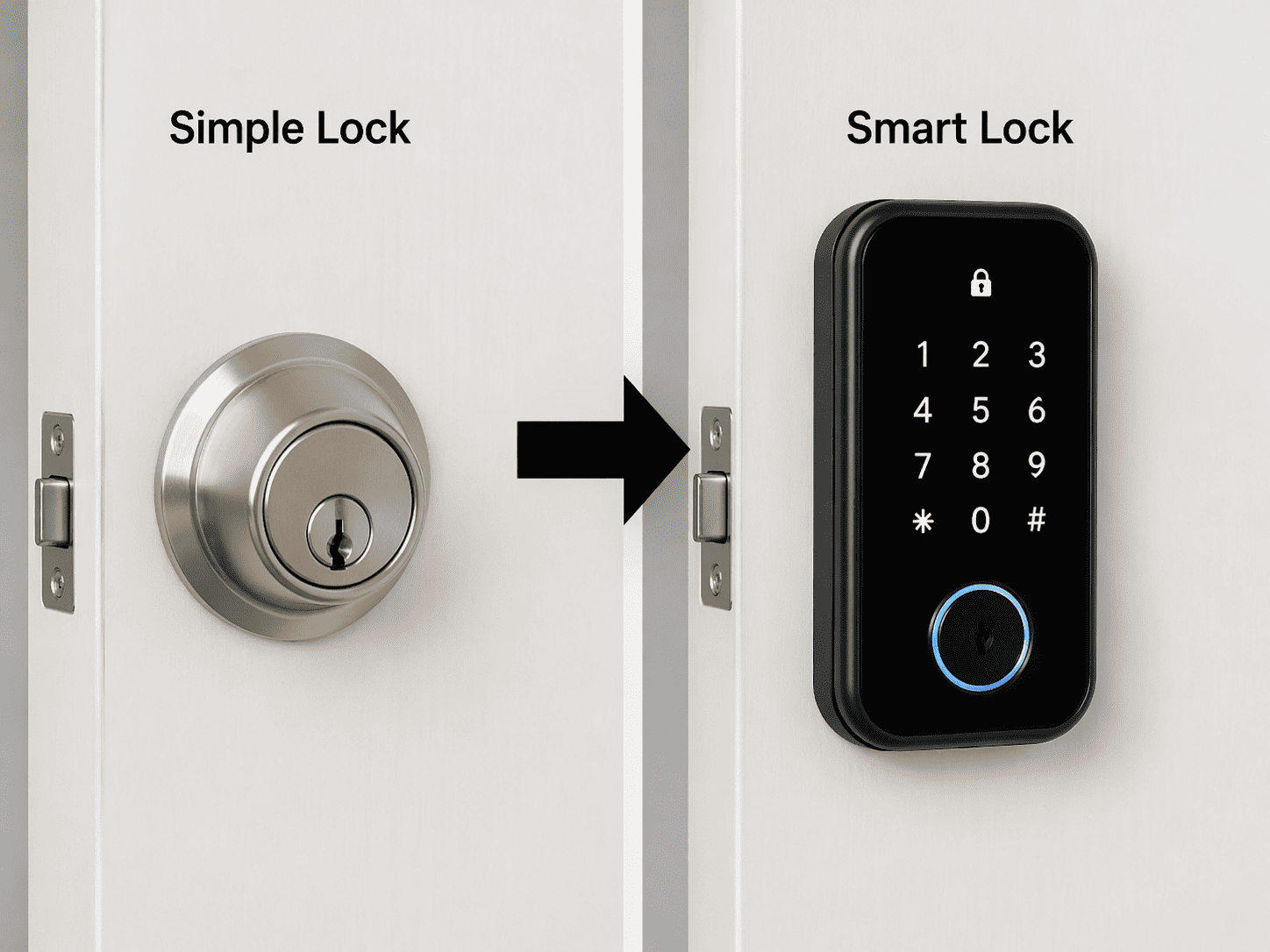
Traditional locks can be picked, bumped, or copied by someone who knows what they are doing.
Smart locks replace that risk with controlled digital access. Top options include the Yale Assure Lock 2, Schlage Encode Plus, and Level Lock Plus.
With a smart lock you get PIN entry with no physical key to copy, remote locking from your phone, temporary codes for guests or cleaners, and a full log of everyone who entered.
Not ready for a full smart lock? Start with a Grade 1 ANSI deadbolt and a reinforced strike plate. This upgrade costs under $60 and takes about 20 minutes to install.
3. Add Motion Sensor Lights Outside
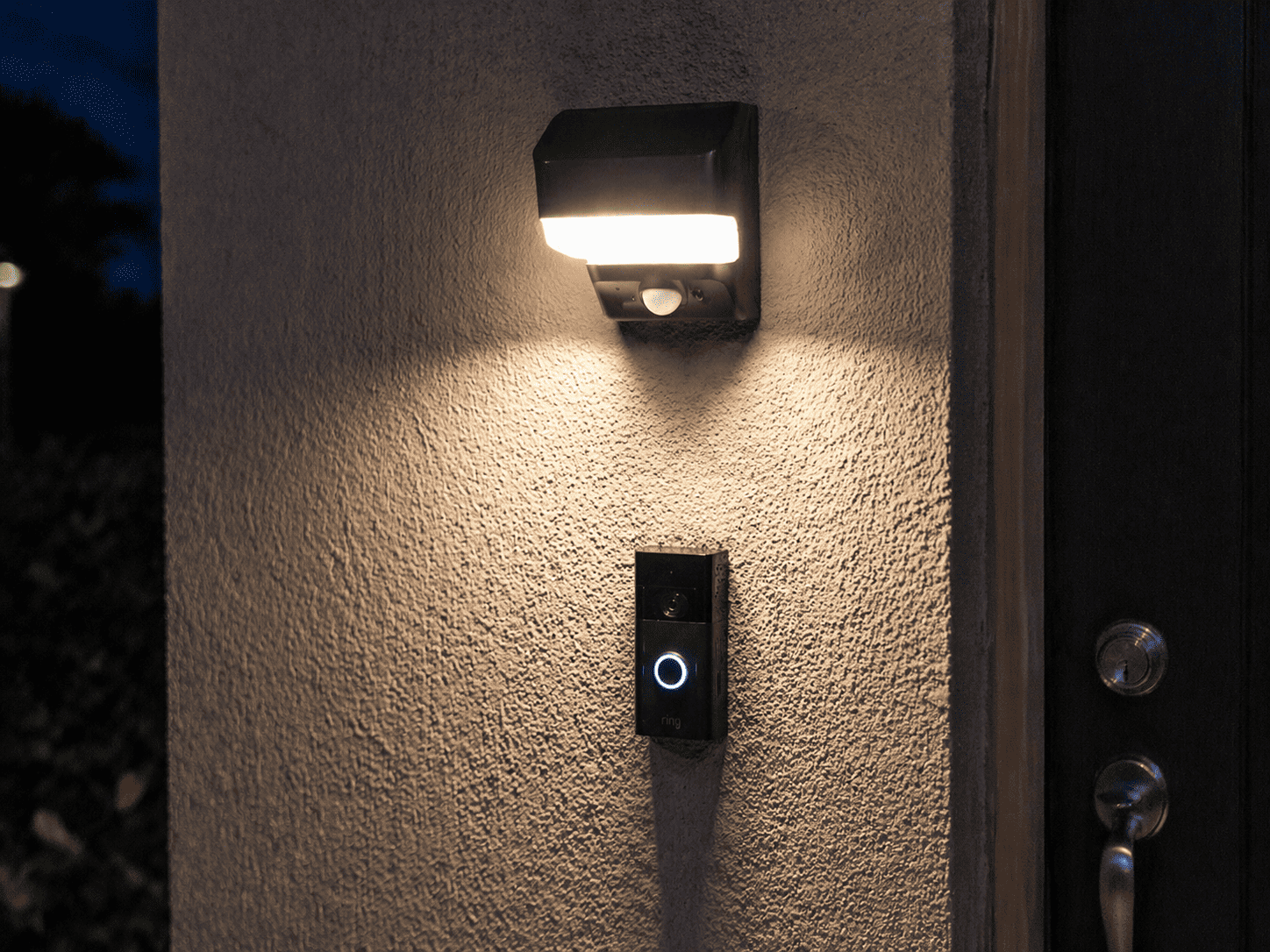
This is one of the cheapest and most effective upgrades available.
Motion lights do two things at once. They startle anyone approaching at night and remove the darkness intruders count on to work unseen.
Install them at your front entry, back of the house, driveway, and any dark side passages.
Good options include Blink Outdoor Floodlight, Ring Floodlight Cam, and Mr. Beams. Prices range from $25 to $150 depending on features.
4. Reinforce Your Doors and Windows
Here is something most homeowners do not know.
A standard door frame can be kicked in with one solid strike near the lock. The weak point is usually the wood frame, not the lock itself.
To fix this, install a door reinforcement kit like Door Armor that replaces short screws with three-inch screws anchored into wall studs. Add a door security bar for any ground-level entries.
For windows, add secondary sash locks or keyed stops. Apply 3M Safety Series window film to make glass harder to shatter quickly.
Sliding glass doors are among the most targeted entry points in American homes. Place a wooden dowel or steel bar in the floor track. It costs almost nothing and takes 30 seconds.
5. Install a Video Doorbell
A video doorbell is not just a camera. It completely changes how you handle visitors.
Products like the Ring Video Doorbell 4, Google Nest Doorbell, and Eufy Video Doorbell E340 let you see who is at your door, speak to them through two-way audio, get motion alerts before anyone rings, and store footage to review anytime.
Anyone scoping your property sees the camera-equipped doorbell and usually moves on.
It also helps with package theft, which the National Package Theft Report says affects one in three American households every year.
6. Set Up a Home Alarm System
A good alarm system creates risk for intruders on multiple levels at once.
When a sensor trips, a loud siren activates inside and outside your home, an instant alert reaches your phone, and if you have professional monitoring, a response team can send police to your address.
Top DIY options include SimpliSafe, Ring Alarm Pro, Abode, and Cove. All four are easy to self-install and offer optional monthly monitoring starting around $10 to $25 per month.
Even without monitoring, the siren alone is usually enough. Most burglars want to be in and out in under 60 seconds. A 110 decibel alarm kills that plan immediately.
7. Use Timed Lights When You Travel
A house that goes completely dark every night at the same time tells everyone that nobody is home.
Smart plugs connected to lamps can simulate natural occupancy while you are away. Set varied and irregular schedules so it does not look automated.
Amazon Smart Plug, TP-Link Kasa, and Wemo Mini all work great and cost between $10 and $25 each.
For an even better effect, pair light timers with a device like FakeTV that replicates the flickering glow of a television through a window. It strongly suggests someone is home watching a show.
8. Keep Valuables Out of Window View
This costs nothing. It is purely a habit change.
A laptop on a coffee table visible from the street, a TV mounted across from a large front window, or a bicycle sitting in an open garage all send the wrong signals to the wrong people.
Walk around the outside of your own home and look in through your windows. What can you see? Move anything valuable away from those sightlines.
Also stop posting real-time vacation photos on social media. A location-tagged travel post announces to anyone watching that your house is empty right now.
9. Secure Your Home Wi-Fi Network
Smart security devices are only as safe as the network they run on.
If your router is still using default settings or an old password, your network is vulnerable. A compromised router can let someone disable your cameras or access your smart lock remotely.
Quick fixes that take under 10 minutes:
Change your router admin password. Enable WPA3 encryption if your router supports it. Set up a separate guest network just for smart home devices. Turn on automatic firmware updates.
If your router is more than five years old, consider replacing it with a modern mesh system like Eero Pro 6E, Google Nest WiFi Pro, or TP-Link Deco. These come with built-in security features older routers do not have.
10. Consider a Dog or the Signs of One
The University of North Carolina burglar study specifically listed the sound of a dog barking as one of the top deterrents that made burglars choose a different target.
Even a small dog creates unpredictable noise and draws attention.
If a dog does not fit your lifestyle, a “Beware of Dog” sign near the front gate or a dog bowl placed visibly near the entry creates enough doubt that many opportunistic burglars will not risk it.
11. Post Security Signage
This works even if you do not have a full system yet.
Before acting, burglars run a quick risk vs. reward calculation. A yard sign, a window sticker, or a Neighborhood Watch notice tells anyone looking that this home carries more risk than an unmarked one nearby.
It will not stop every experienced burglar. But it filters out the opportunistic break-ins that make up the large majority of residential burglaries in the US.
12. Build a Relationship With Your Neighbors
Neighbors are one of the most underused security resources available to homeowners.
A neighbor who knows your routine can notice when your car has been gone longer than expected, spot an unfamiliar vehicle parked in front of your house for hours, or simply be present in a way that no camera can replicate.
Before any trip, tell a trusted neighbor your travel dates and give them your contact number. Ask them to bring in deliveries left visible on your porch.
Visit nnw.org to find or start a Neighborhood Watch program in your area. These programs connect residents directly with local law enforcement.
13. Automate Your Home to Look Occupied
Smart home platforms let you go further than just timed lights.
Using Amazon Alexa, Google Home, or Apple HomeKit, you can automate routines like turning on the kitchen light at dusk, playing music through a smart speaker during evening hours, adjusting the thermostat on a normal use schedule, and locking all doors automatically at night.
When these routines run on slightly varied schedules rather than exact timing, they replicate the natural unpredictability of a real person moving through the house. That unpredictability is what makes it convincing.
14. Lock Every Secondary Entry Point
The front door gets all the attention. But US Department of Justice data shows a large share of break-ins happen through back doors, garage entries, and ground floor windows.
Go through your property step by step. Back doors are often weaker and less visible from the street. Older garage door openers using fixed codes can be duplicated with cheap equipment. Ground floor windows with worn latches are easy to force. Side gates left unlocked are often completely forgotten.
Every entry point needs at least one active security layer: a solid lock, a sensor, a motion light, or a camera.
If your garage opener was manufactured before 2005, consider replacing it. Modern openers use rolling-code technology that generates a new code after every single use, making duplication effectively impossible.
15. Do an Annual Security Review
Security technology changes fast. Vulnerabilities in older products get discovered regularly.
Set a 30-minute reminder once a year to check camera firmware and update it, replace batteries in wireless sensors, test your alarm system, delete old guest codes from your smart lock, and check whether any newer products address gaps in your setup.
Even a brief annual check will catch things like a camera that has drifted off its ideal angle, a sensor with a dead battery, or a router sitting on outdated firmware.
Real Example: How Layered Security Stopped a Break-In
A Phoenix homeowner spent around $320 total on a layered setup:
A Ring camera at the front gate, a Blink floodlight at the rear, a SimpliSafe alarm with door and window sensors, and a Schlage Encode smart lock on the front door.
One night someone approached the property from the rear alley. The floodlight activated immediately. The camera sent a phone alert. When the rear door sensor tripped, the siren went off at 105 decibels. The person left in under 20 seconds.
No entry. No loss. No damage.
No single device did the job alone. It was the combination that worked.
Mistakes That Leave Homes Vulnerable
Even homeowners who invest in security leave gaps through daily habits.
Leaving the garage door open while doing yard work, even briefly, creates an easy entry window. Posting vacation photos in real time tells anyone watching that your house is empty. Hiding a spare key under a mat or flower pot is the first place intruders look. Skipping small repairs like a loose window latch leaves obvious exploits open. Never testing the alarm means dead batteries go unnoticed. Using the same entry PIN for years without changing it is an unnecessary risk.
Security habits protect you just as much as security hardware.
Frequently Asked Questions
What is the most effective home security upgrade?
No single upgrade works alone. Research shows layered security is what truly works. If you are starting from zero, the best combination is a visible front door camera paired with a monitored alarm system.
How much does a home security setup cost?
A solid DIY setup with cameras, motion lights, and a basic alarm runs between $150 and $400. Professional monitoring adds $10 to $25 per month. Start basic and build up over time.
Is home security needed in a safe neighborhood?
Yes. FBI data shows burglaries are mostly opportunity-driven, not location-driven. An easy target in a low-crime area is still a target.
Can smart devices be hacked?
Yes, if they are not properly secured. Use strong passwords, keep firmware updated, and put smart devices on a separate network segment away from your main devices.
How often should I update my setup?
Once a year for a full review. Also review it immediately after any nearby break-in, change in household members, long trip away from home, or major new purchase worth protecting.
Final Thoughts
Improving home security does not take a large budget or a professional installer.
What it takes is awareness, consistent habits, and a layered approach that makes your home look like a harder target than the one next door.
Start with two or three steps from this guide today. Add more over the coming months. Small actions compound into real protection over time.
That is how American families stay safe at home.